Version profiles
Keep mod choices, launch settings and presets with their game version.
 ONYXWINDOWS / JAVA EDITION
Minecraft Java, kept minimal.
Game versions, curated mod profiles and a minimal in game interface.
Inside the launcher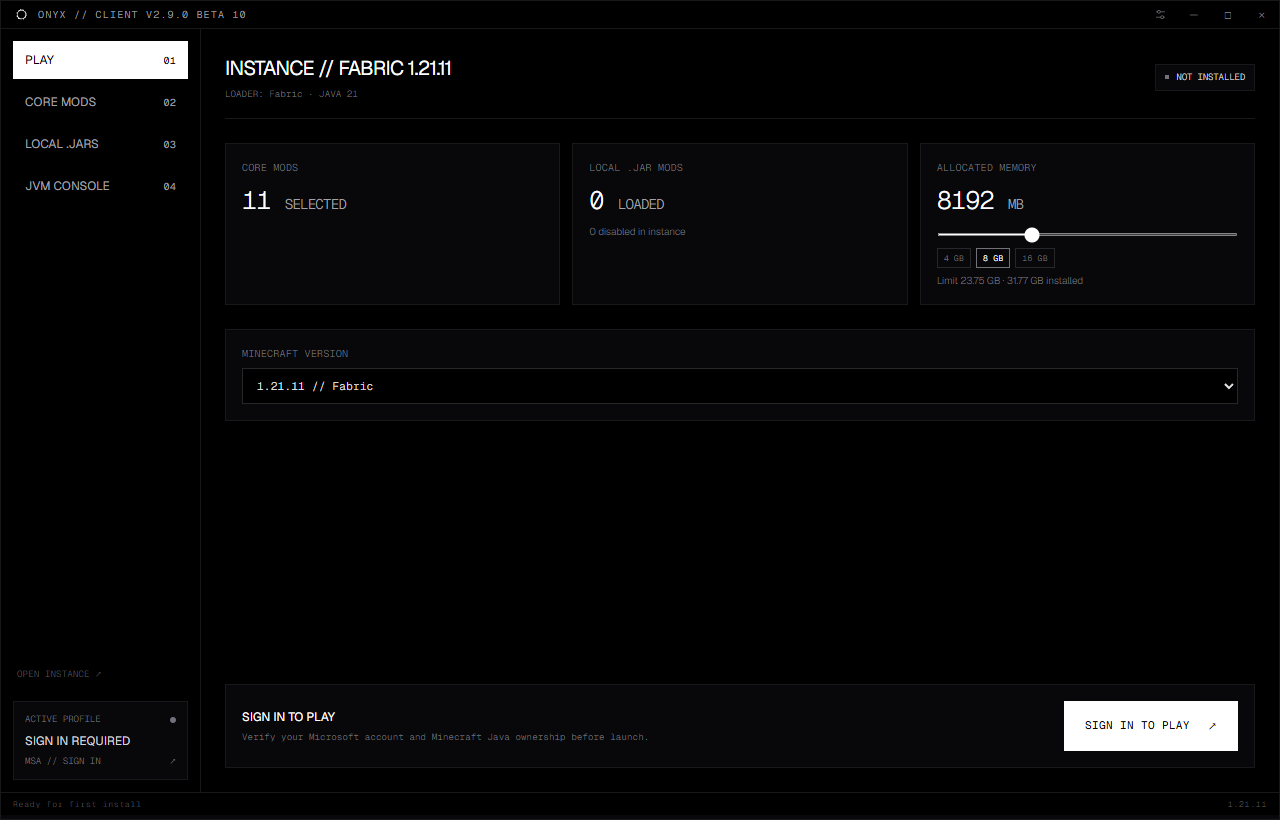
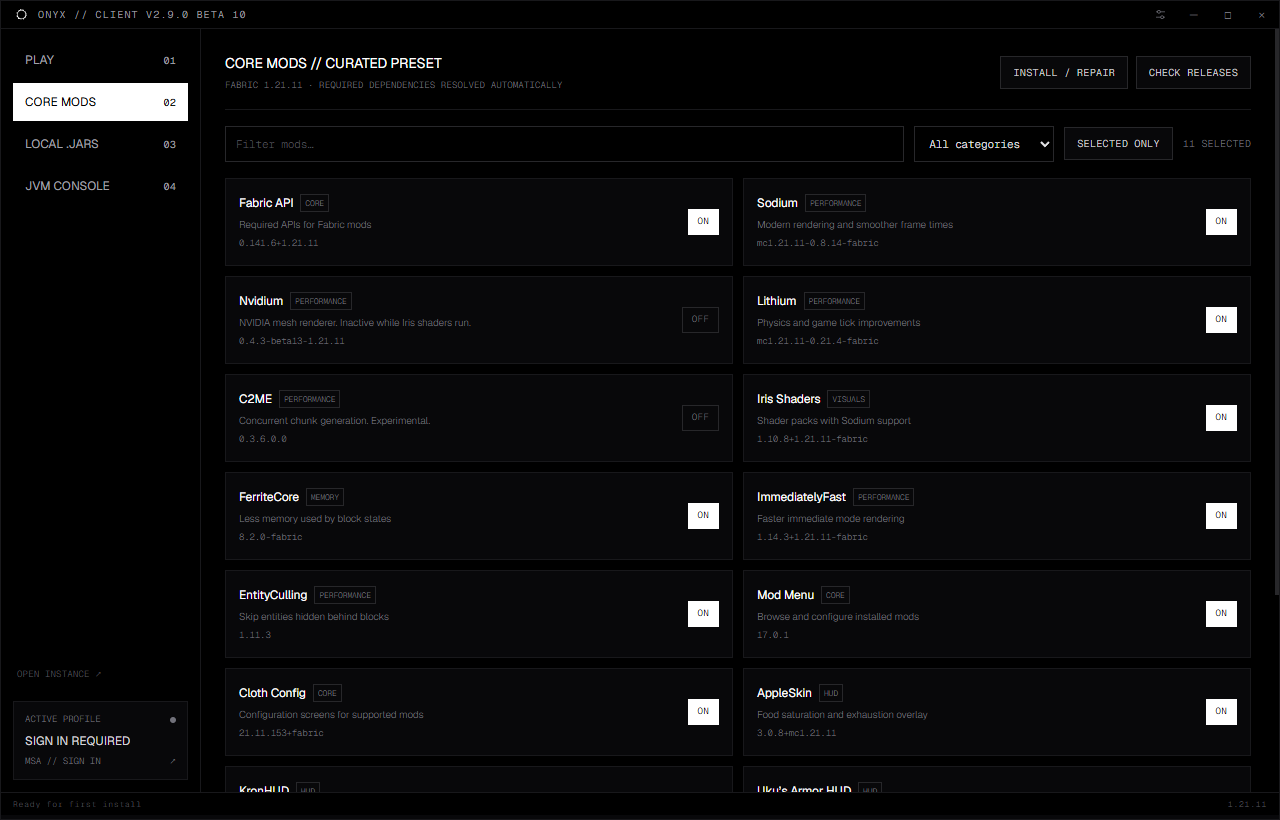
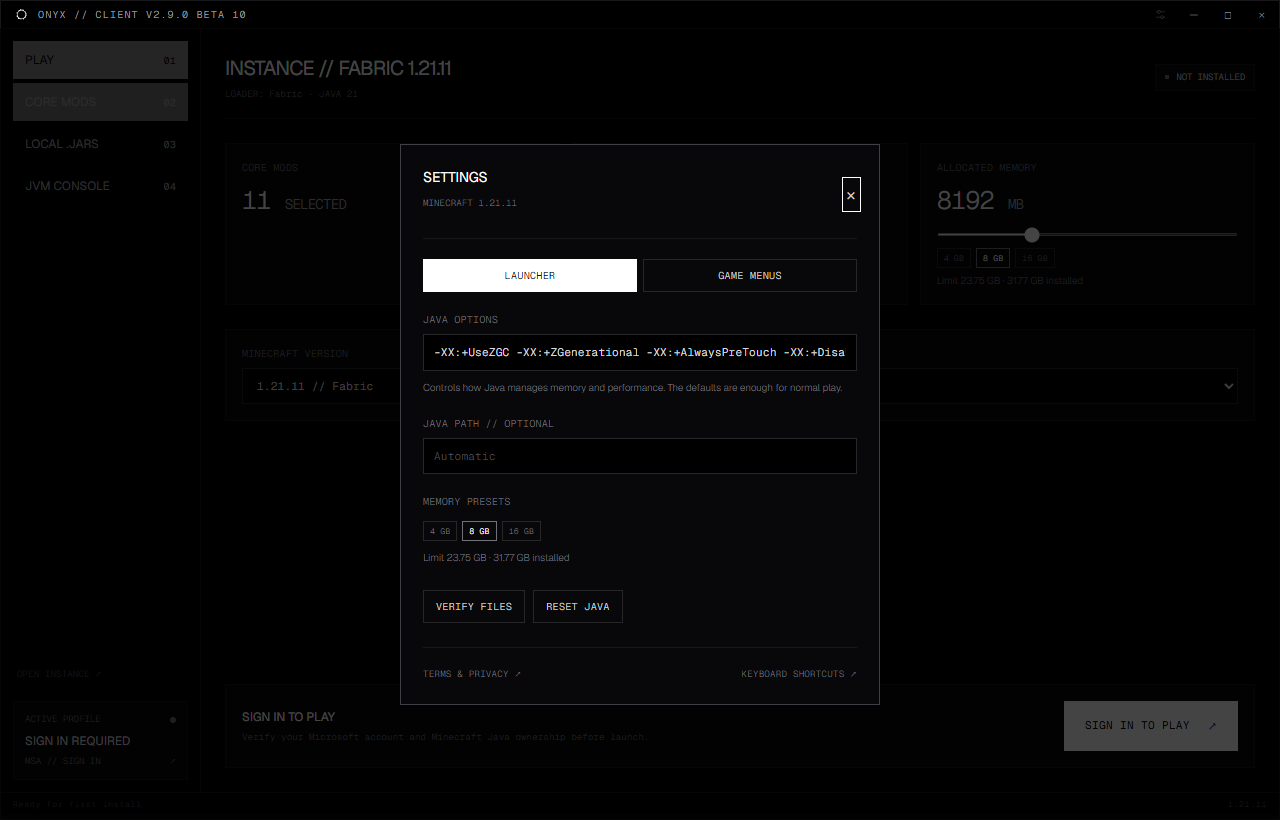
Keep mod choices, launch settings and presets with their game version.
Use curated selections or import local JAR files, including drag and drop.
Quick 4, 8 and 16 GB choices respect the detected allocation limit.
Position and resize HUD widgets. Pin servers to the in game dashboard.
Save launch configurations and switch between per version profiles.
A live JVM console and keyboard shortcuts keep useful controls close.
Beta 10 requires a Microsoft session and live Minecraft Java ownership and profile checks before every launch. Denied or unavailable verification blocks gameplay. There is no unauthenticated fallback.
Authorization opens in your system browser. Onyx never asks for your Microsoft password. The desktop app uses no client secret.
The native launcher verifies ownership before game preparation. Long preparation or a near expiry token triggers another check. Windows DPAPI protects the saved session.